Documentation Index
Fetch the complete documentation index at: https://docs.cadcamfun.xyz/llms.txt
Use this file to discover all available pages before exploring further.
Introduction to the CAD/CAM Application
Application Overview
The CAD/CAM application is a complete software solution designed to support the entire workflow of mechanical design and production, from initial conception to final production. It integrates a series of advanced tools that enable:Creation and Modification
Create and modify 2D and 3D models with parametric design tools
Toolpath Generation
Generate optimized toolpaths for CNC machining
Simulation
Simulate machining operations before execution on the real machine
G-code
Generate and customize G-code for various CNC control systems
AI Assistance
Use AI assistance to optimize projects and toolpaths
Complete Management
Manage projects, components, materials, and tools in an organized way
Who This Documentation is For
- New users
- Expert users
- CNC technicians
- Engineers and designers
- Administrators
If you’re new to the application, this documentation will provide you with the basics to start using the software quickly. We recommend starting with the Quick Start Guide to familiarize yourself with the interface and basic features.
Main Features
The CAD/CAM application offers a wide range of features, including:CAD Editor
- 2D and 3D modeling tools
- Creation of parametric geometries
- Layer and property management
- Standard component library
- AI assistance for design
CAM Editor
- Toolpath generation for various operations (milling, turning, etc.)
- Machining simulation
- Toolpath optimization
- 3D visualization of machining
- Post-processor for different CNC machine controllers
Project Management
- Organization of drawings and components
- Version control
- Team collaboration
- Material and tool management
- Import/export in standard formats
AI Integration
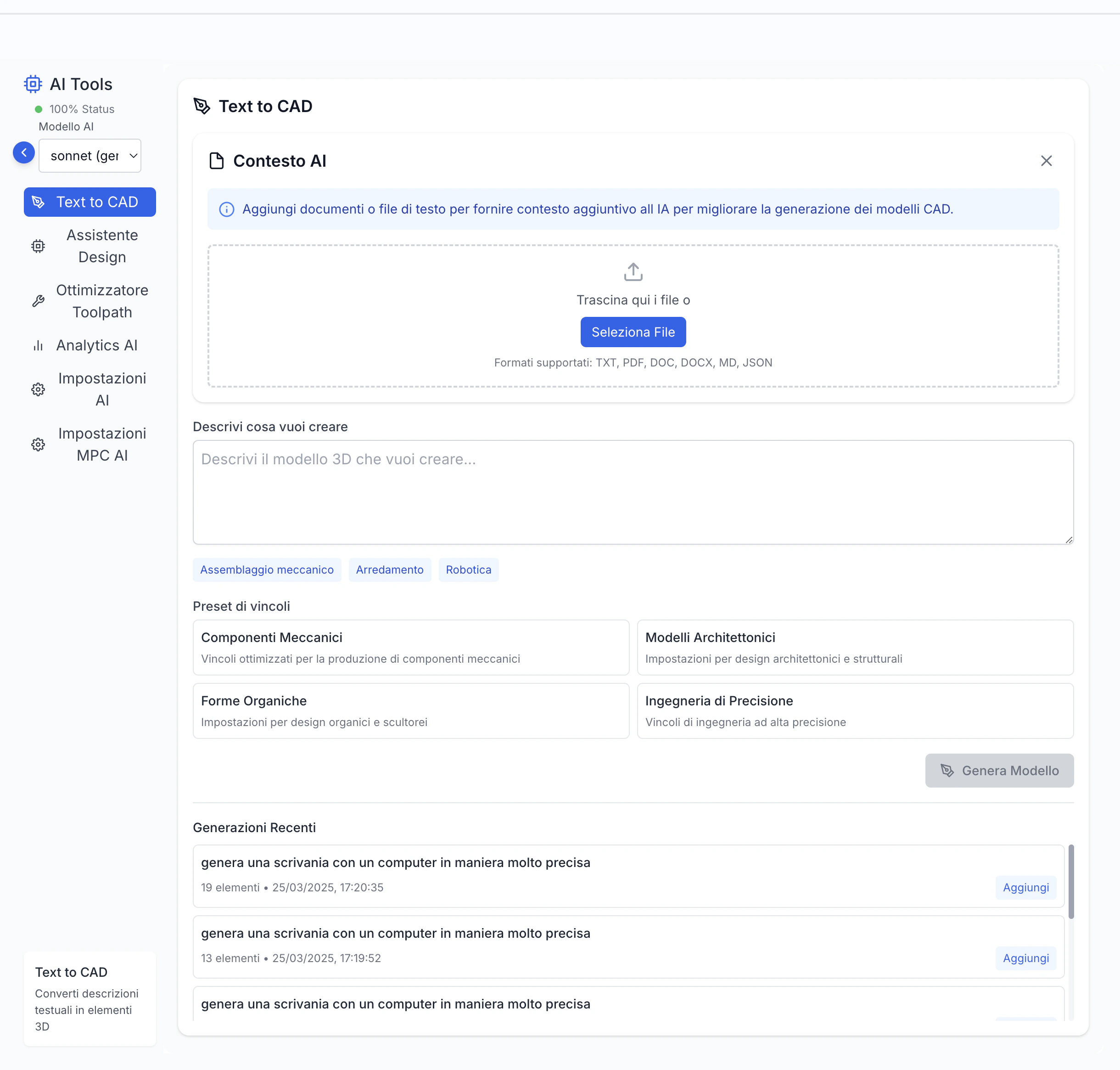
- Intelligent design assistant: generates models from text descriptions
- Automatic toolpath optimization: improves efficiency and quality
- Geometry generation from text descriptions
- Analysis and suggestions to improve manufacturability
- Automatic resolution of common issues
System Requirements
The application is optimized for high performance even on mid-range hardware, but complex projects may require higher specifications.
- A modern web browser (Chrome, Firefox, Safari, Edge)
- Internet connection for cloud features and AI assistance
- Graphics card compatible with WebGL for 3D visualizations
- Minimum 8GB RAM recommended for complex projects
- Sufficient storage space for projects (varies based on size)
How to Use This Documentation
The documentation is organized in thematic sections covering different aspects of the application. We recommend:Explore CAD and CAM sections
Deepen your understanding of features specific to design and toolpath generation.
Consult Workflow Guides
Examine practical examples showing how to use the application in real scenarios.